Personal AI Assistant: Building Pepper on My Second Brain

This post is Part 3 of 3 in a series about the two AI agents I use every day.
- Part 1 of 3: Introduction
- Part 2 of 3: Repo-of-Repos: Tony’s Multi-Repo Workspace for AI Coding Agents
- Part 3 of 3: Personal AI Assistant: Building Pepper on My Second Brain (this post)
Highly effective note-taking is a “super skill.” Learning how to Build a Second Brain is one of the best investments of time I’ve made in my professional career. This post in 2022 shows how I initially built my second brain using Obsidian. Every note I take — meetings, research, people, finance, faith, books — is a markdown file inside one big vault. It works in a way that allows me to take notes quickly, link things up, and search them later. In this post, I’m sharing my version of what’s commonly searched as “Claude Code with Obsidian” — though as you’ll see below, I use it interchangeably with GitHub Copilot Agent, and the patterns work with any coding agent.
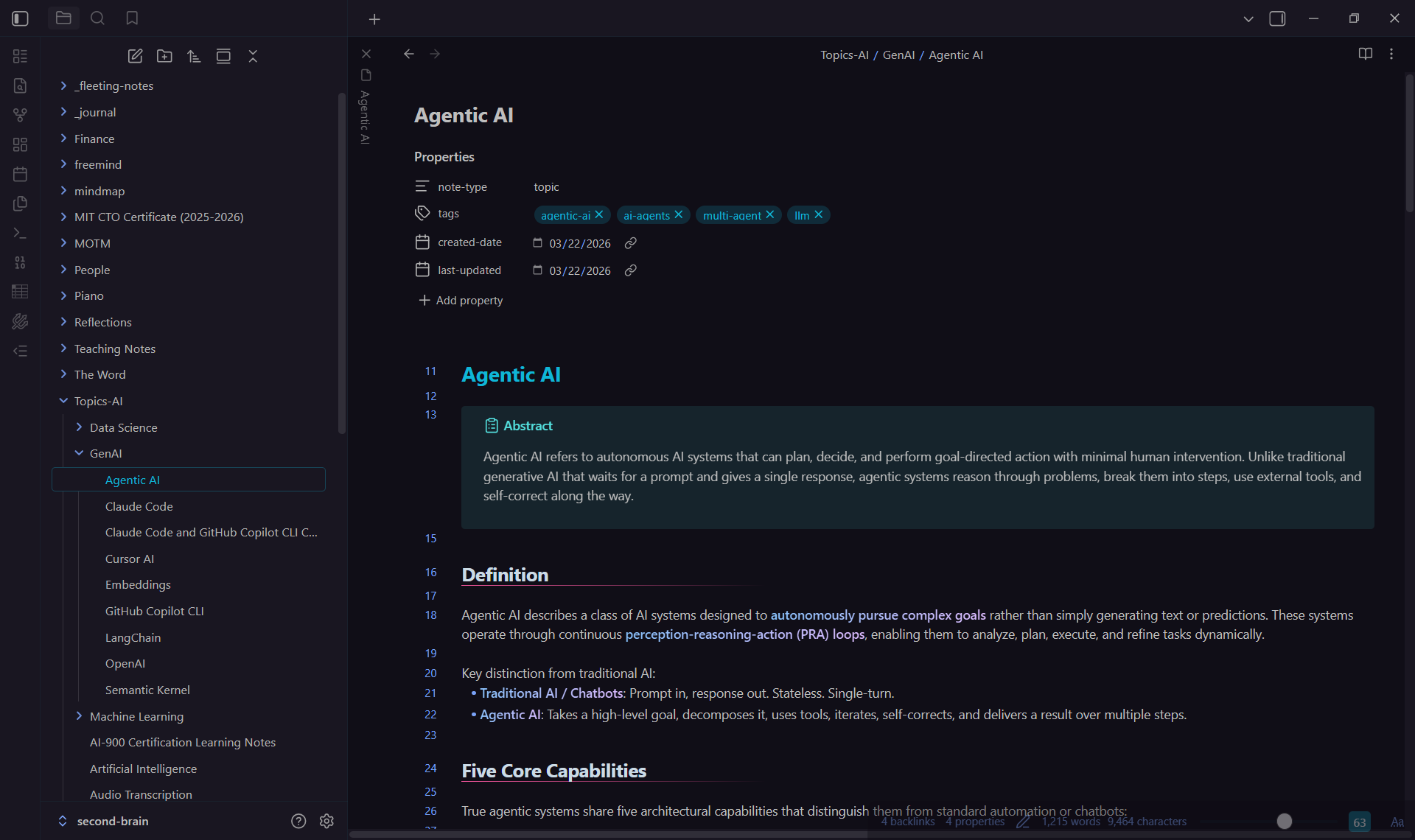 My Obsidian Vault
Meet Pepper
Since my notes are all in markdown files, I’ve often looked for an AI agent that could read all of my notes and work with me day to day. The early days of copilot chatbots didn’t cut it. I remember embedding my notes and building RAG around it, but it just wasn’t good enough. Now, with agentic capabilities and larger context windows, this has become possible (and easier to pull off). The result is Pepper Potts — my personal assistant agent, running on top of my Obsidian vault. It all started with this simple prompt:
Sped-up demo. Auto-plays once when scrolled into view; click Replay to watch again.
Throughout the rest of this post I’ll just say “coding agent” — but in practice the two I personally use are Claude Code and GitHub Copilot Agent (I’m using “Copilot Agent” as an umbrella term for both Copilot’s agent mode in VS Code and the Copilot CLI), and I use them interchangeably. The
CLAUDE.mdandSKILL.mdfiles you’ll see referenced are named that way because they’re cross-compatible across both, and I wrote about the cross-compatibility setup in a separate post. The patterns here also apply to other coding agents like Cursor, Windsurf, and Codex CLI — I just don’t have subscriptions for those, so I can’t speak to them from experience.
To my colleagues: You might read this post and think “I thought her name was Sue?” Sue is Pepper’s twin sister who manages my second brain in my OneDrive for Business, for proper data governance. Pepper is my personal assistant — she manages my second brain in my personal and private Git repo.
Pepper’s File Structure
After two months of building and improving, Pepper’s file structure looks like this:
1
2
3
4
5
6
7
8
9
10
11
vault/
├── _agent/                         # Pepper's internal workspace
│   ├── memory/                     # cross-device persistence (preferences, etc.)
│   ├── skills/                     # skills Pepper invokes for me
│   ├── index/                      # vault search index (e.g. SQLite db)
│   ├── recurring-tasks/            # playbooks for periodic workflows
│   └── daily-notes/                # scratch + per-day rollups
├── .claude/
│   └── skills/                     # skills I invoke (slash commands)
├── CLAUDE.md                       # Pepper's operating manual
└── (my own notes/folders)          # Topics, Work Notes, People, Personal Finance, Daily Notes, etc.
Three things make this work:
CLAUDE.mdas the operating manual. One file at the vault root. It defines who Pepper is, what folders exist, what conventions to follow, and what to do at session start. UpdatingCLAUDE.mdis how I “train” her — not by re-correcting in conversation._agent/is Pepper’s territory. Everything in this folder is hers to manage, create, and update — not mine. Her notes on my preferences, the people I mention, the skills she invokes internally to support me, and the playbooks for recurring tasks she runs on a cadence. I generally don’t open these files; she does.- Two kinds of skills. Skills in
_agent/skills/are ones Pepper invokes herself when she needs them (e.g. indexing the vault, reading an Office file). Skills in.claude/skills/are the ones I run as/slashcommands (e.g./generate-image,/summarize-youtube). Pepper can run skills from both folders. Each skill follows the SKILL.md framework — aSKILL.mdinstruction file, with an optionalscripts/folder alongside for helpers (.py, shell, etc.) when needed.
A Quick Note on the Vault Index
The vault search index is one of the things Pepper built for herself. Since the coding agent doesn’t have access to Obsidian’s built-in search, I asked her for the best way to know what’s in the vault. She gave me a few options and we agreed on the fastest and simplest one: an SQLite FTS5 (full-text search) database on the local file system, with a pair of skills to maintain it:
_agent/skills/index-vault/runs at session start to incrementally update the FTS5 index in_agent/index/vault_search.db._agent/skills/search-vault/runs FTS5 queries against that database.
The problem I have with embeddings is that they’re too slow, not to mention expensive. FTS5 is fast and cheap, which fits how I work.
My Daily Workflow With Pepper
mindmap
  root((Pepper Potts<br/>Daily Workflow))
    Session Start
      git pull + re-index
      Daily commit catch-up
      TODO greeting
      Market updates
    Capture
      MOTM live-dictation
      Fleeting notes
      Work notes
    Query and Act
      Research
      Write drafts
      Generate images
      Summarize videos
      Architecture diagrams
What Pepper Does for Me
Session Startup — A Greeting With Substance
I always start the session with a greeting like “Hi Pep”. This kicks off a Session Start sequence we’ve refined over time:
- Housekeeping.
git pull --rebase origin main, incrementally update the FTS5 vault index at_agent/index/vault_search.db, and run a quick Python library health check. Silent unless something needs my attention. - Daily commit. If today’s date doesn’t match the last commit, stage, commit (
daily update: YYYY-MM-DD), and push. Skipped if already done. - Load context. Reads the “read first” files listed in
CLAUDE.md— preferences, people index, writing-style skill, active TODOs, and the most recent daily note. - Auto-resume. If
999 - TODO List.mdhas aRESUME ON NEXT SESSION STARTtask, she picks it up immediately — no asking. - Market update — ask first. Never auto-run. She asks if I want the financial market and portfolio update, and only proceeds on yes.
Top Use Cases
Beyond the session startup, the day-to-day use cases that have stuck:
- Financial market updates. A daily briefing on the markets I follow. She pulls the latest market data, then reads and updates my existing portfolio note — factoring in my financial strategy, investment style, risk appetite, and other parameters I’ve captured in related notes. As a bonus, she also reminds me of relevant Bible verses on finance that I’ve written down over the years.
- Research. On tech, finance, even Biblical principles. Pepper spins up sub-agents to research the web across many search strings in parallel, then digests everything into a single note written in my preferred style — succinct, easy to read, with diagrams for visualization.
- Work notes. I like to write down my thoughts when I’m working through something complex. Pepper is great at helping me organize those notes. I’ll pass her my thoughts for brainstorming, snippets of what I’m typing or coding, screenshots of outputs, and go back and forth with her on what to do next. These notes tend to grow long. So when I’m done with something, she also helps me clean it up into something that I can review and redo later. Many of my automations and code patterns are born from these work notes.
- Memory notes. Pepper manages my Minutes-of-the-Meeting (MOTM) notes, People notes, and anything else I’d like to take note of and remember in the future. I write the notes myself, but Pepper helps me organize and format them properly. For MOTM notes, for example, she writes the attendee names into proper
[[wikilinks]]and generates a short summary of the meeting at the top of each note.
A Growing Tool Chain
Pepper has a growing set of skills she invokes for me, each one a SKILL.md instruction with helper scripts alongside when needed. The current line-up includes generating images (via Replicate MCP, defaulting to Nano Banana 2 with GPT Image 2 as fallback), drafting Word documents, transcribing and summarizing YouTube videos, generating draw.io diagrams, and a few other utilities I’ve added when I noticed myself doing the same thing manually three or four times. Each started as a one-paragraph instruction in CLAUDE.md and got promoted to a real skill once I knew the shape it needed to take. Pepper is also free to develop new skills herself when she spots a recurring need — most of the current line-up were her suggestions before they were mine.
A recent example: I’ve been figuring out how to take conference notes faster. The workflow I’ve landed on is to record the talk on my phone and ask Pepper to transcribe the audio into a note, then supplement it with photos of the slides I took. Pepper extracts the slide content and rewrites it into the note — usually a mix of writeup, table, and Mermaid diagram.
How You Could Build Your Own
Here’s a paraphrased version of the bootstrap prompt — copy, paste, and adapt:
1
You are my personal assistant called <Name>. You can take notes, manage my todos, track people I care about, and help with research. Your internal workspace lives in `_agent/` (memory, skills, daily-notes). Skills I want to invoke myself live in `.claude/skills/<skill-name>/`. Skills you use to support me live in `_agent/skills/<skill-name>/`. Default to writing markdown. Always check existing notes before answering, and prefer updating existing notes over creating new ones. When I give you a task, you're allowed to modify yourself to achieve it — update `CLAUDE.md`, create files in `_agent/`, configure MCP servers, and write your own skills as you spot recurring needs.
Conclusion
As I was writing this article, I noticed there are many similar posts out there — at least as of today, the popular search string seems to be “Claude Code with Obsidian”. What’s interesting is that every post has its own style. Everyone has their own way to organize their notes in Obsidian in a way that clicks with them, and similarly, everyone has built an agent with instructions that work for them. Which is why I’ve only shared how to start here — how you evolve your agent from there is up to you.
Looping back to where this series started — that line on X about “the best agents are the ones you create yourself” — I think the reason it rings true for me has very little to do with the framework or the runtime. The work that turned a generic model into my assistant was the work of writing down my conventions, my folders, my preferences, and the second brain I’d already been keeping since 2022. If you’ve been thinking about building your own personal agent, my encouragement is to start with a prompt like the paraphrased starter above and let your coding agent bootstrap and manage its own CLAUDE.md from there — the instructions will evolve as you use it.